
How to Track a Cruise Ship in Real Time
Learn how cruise ship tracking works using AIS technology, the best ship tracker tools and apps, how to read tracking data, and how to find any ship's location right now.
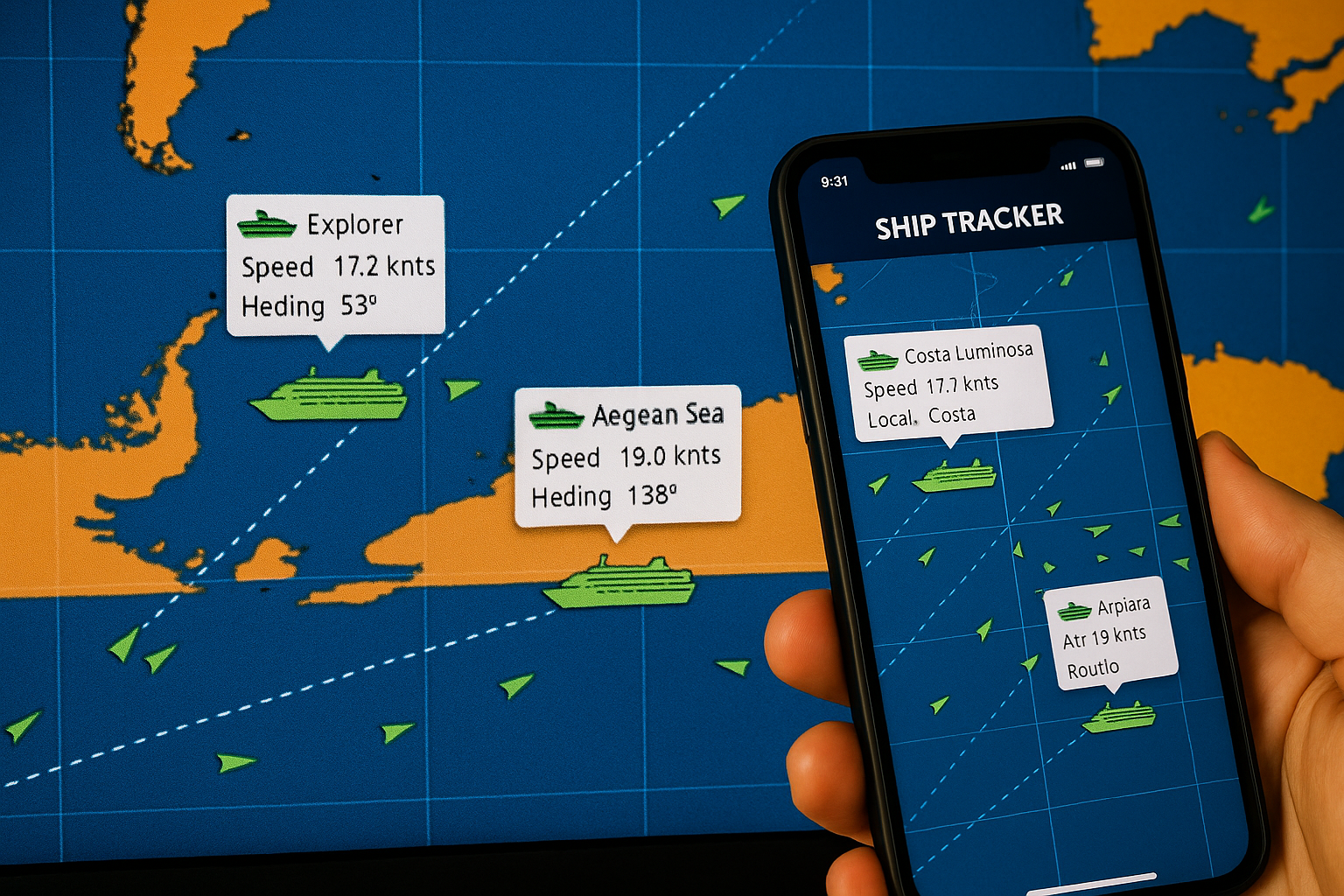
Every cruise ship sailing the ocean right now is broadcasting its exact position, speed, heading, and destination — continuously, in real time, to anyone with the right tools to listen. Ship tracking has transformed from a maritime professional’s tool into a genuinely accessible feature for passengers, travel planners, and curious observers. Whether you’re tracking a family member’s cruise, watching a ship approach your home port, or simply curious about where a specific vessel is at this moment, ship tracking is easier than most people realize.
Here’s how it works, what tools to use, and how to make sense of the data you’ll see.
How Ship Tracking Works: AIS Technology Explained
The foundation of modern ship tracking is the Automatic Identification System (AIS), a maritime communication standard that’s been required on most commercial vessels since 2002. The International Maritime Organization mandates AIS transponders on all vessels over 300 gross tons engaged in international voyages, as well as all passenger ships regardless of size — which means every cruise ship in service is required to broadcast AIS data.
What AIS Broadcasts
Each AIS transmission includes a rich set of data:
- MMSI number: The vessel’s unique Maritime Mobile Service Identity, a nine-digit number that serves as the ship’s permanent identifier
- Vessel name and call sign
- Position: GPS coordinates updated every 2–10 seconds when a vessel is moving
- Course over ground (COG): The actual direction the ship is traveling, in degrees
- Speed over ground (SOG): Actual speed in knots
- Heading: The direction the bow is pointed (which differs from COG in current or wind)
- Navigation status: Underway, anchored, moored, not under command, etc.
- Destination and estimated time of arrival (ETA): Manually entered by the crew, so accuracy varies
- Vessel type and dimensions
This data is transmitted via VHF radio on two dedicated frequencies (161.975 MHz and 162.025 MHz) alternating every few seconds. The range of a VHF-based AIS signal is roughly 20–40 nautical miles under normal conditions — enough for coastal receivers to pick up ships in transit near shore.
Satellite AIS: The Coverage Gap Solution
The limitation of ground-based AIS is exactly what you’d expect: in the middle of the ocean, there are no shore stations to receive the signal. This was a significant gap in coverage for open-ocean vessels until the development of satellite AIS (S-AIS), which routes AIS signals through constellations of low-earth-orbit satellites.
Satellite AIS coverage has expanded dramatically over the past decade, and commercial satellite networks now provide near-global coverage with position update frequencies measured in minutes rather than seconds for mid-ocean vessels. Major tracking platforms aggregate both terrestrial and satellite AIS data to provide continuous coverage from port to port.
This is why you can look up a ship crossing the Pacific or the mid-Atlantic and still see its position updated regularly, not just when it’s near a coastline.
CruiseKick’s Ship Tracker
We maintain a real-time ship tracker on CruiseKick that pulls live AIS data for cruise ships worldwide. You can search by ship name or cruise line and see current position, speed, heading, last known port, and next destination directly on an interactive map.
The tracker is particularly useful for:
- Checking a ship’s position before embarkation — is your ship on time and where you expect it?
- Following a family member’s cruise — track the route day by day
- Monitoring a ship’s progress if your itinerary was changed or a port was skipped
- Pre-trip research — getting a sense of the route your ship will take
You can access the CruiseKick ship tracker at cruisekick.com/ship-tracker.
Other Tracking Tools and Apps
Beyond CruiseKick, several platforms offer ship tracking with different strengths:
MarineTraffic
MarineTraffic is the most widely used public ship tracking platform in the world, with a massive network of terrestrial AIS receivers supplemented by satellite coverage. The free tier gives you current positions, vessel details, and basic port history. The paid tiers add historical routes, ETA predictions, API access, and advanced filtering.
For casual cruise ship tracking, the free MarineTraffic web interface or mobile app (iOS and Android) is more than sufficient. The map interface is intuitive — zoom in on any ocean or port and click on any vessel icon for a data card with current information.
Best for: Comprehensive global coverage, historical route data, and power users who want the most detailed vessel information available.
VesselFinder
VesselFinder is a strong alternative to MarineTraffic with a cleaner interface and similar data sourcing. The free tier is slightly more generous with information, making it a good option for occasional users. The mobile app is well-designed.
Best for: Users who find MarineTraffic’s interface overwhelming — VesselFinder’s cleaner presentation makes it more approachable for casual tracking.
FleetMon
FleetMon focuses more on commercial maritime operations but is publicly accessible for ship tracking. Its port arrival/departure logs are particularly detailed, which is useful for verifying whether a ship is actually on schedule relative to its planned itinerary.
Best for: Checking port logs and schedule adherence, particularly for itinerary verification.
Cruise Line Apps
Most cruise lines offer position tracking within their own apps during active voyages. The Royal Caribbean app, Carnival HUB app, Norwegian app, and equivalents from MSC, Celebrity, and others all include a “where is the ship” feature that uses GPS data directly from the vessel. These are the most accurate for your specific voyage because they reflect the ship’s actual GPS position rather than AIS-derived data.
Best for: Tracking your own ship while you’re onboard, particularly for showing family where you are in real time.
Why People Track Cruise Ships
The motivations are more varied than you might expect.
Tracking family and friends: This is probably the most common use case. A spouse staying home while their partner cruises, parents whose adult children are on a voyage, or cruise enthusiasts following a friend’s trip all use ship trackers to follow along vicariously. Sharing a link to your ship’s position on MarineTraffic is an easy way to let people at home follow your journey.
Pre-departure anticipation: Checking where your ship is in the days before embarkation is a satisfying piece of trip preparation. Seeing your ship complete its previous voyage and sail toward your home port makes the trip feel more real and lets you spot any potential schedule issues before you arrive at the dock.
Itinerary changes and disruptions: When weather, mechanical issues, or port closures force itinerary changes, ship tracking tools let passengers and travel agents verify what’s actually happening independently of cruise line communications. If a ship was supposed to be in Nassau at 8 a.m. and MarineTraffic shows it still 200 miles north at midnight, that’s useful intelligence.
Port spotters and webcams: Cruise ports around the world have installed webcams that allow real-time viewing. When you know a specific ship is scheduled to arrive via its AIS data, you can watch the webcam at the right time to see it come in. This is a niche hobby but a genuine one — ports like Sydney, Vancouver, Curaçao, and Juneau have active webcam communities.
Maritime enthusiasts and photographers: Ship tracking is essential for maritime photographers who want to position themselves to capture a specific vessel’s arrival or departure. Knowing the ETA and the approach route from AIS data allows precise positioning.
How to Read Ship Tracking Data
When you pull up a cruise ship on MarineTraffic or another platform, you’ll see a data panel with several fields. Here’s what the key ones mean:
SOG (Speed Over Ground): The actual speed the ship is making through the water, measured in knots (1 knot = 1.15 mph). Cruise ships typically cruise between 16 and 22 knots. If you see a ship at 22–24 knots, it’s moving fast — potentially making up time. Under 10 knots in open water suggests slow steaming or approaching a port. Zero knots means anchored or moored.
COG (Course Over Ground): The direction the ship is actually traveling, in degrees (0–360, with 0/360 = North, 90 = East, 180 = South, 270 = West). This differs from the ship’s heading when there’s significant current or wind pushing it sideways.
Heading: The direction the bow is pointed. A ship fighting a strong current might have a COG of 090 (east) while its heading is 080 because it’s angling slightly into the current to stay on course.
Draught: How deep the ship sits in the water, in meters. This varies based on how full the fuel tanks and water ballast are. Fully laden cruise ships typically draw 7–9 meters.
Destination: Manually entered by the crew, so it’s usually the next port of call but may sometimes reflect the final destination. Don’t rely on it for precise ETA information.
Navigation Status: “Under Way Using Engine” is normal. “At Anchor” means the ship is anchored (common for tender ports). “Moored” means docked at a pier.
Tracking Historical Routes
MarineTraffic and FleetMon both offer historical route visualization for specific vessels, showing the track a ship followed over a given time period. This is genuinely useful for several purposes:
Verifying past itinerary execution: If a ship’s itinerary says it visited five ports, you can verify whether it actually did (and how long it stayed) using the historical track.
Planning future cruises: Looking at how a ship actually routed itself through a canal transit, a scenic area, or a collection of islands gives you a better mental model of the journey than any itinerary map.
Understanding sea day positions: Historical tracks show you exactly where a ship was during its sea days — which can be useful for understanding open-ocean crossing distances and typical routing through international waters.
The free tier on most platforms provides limited historical data (typically 24–72 hours). Paid subscriptions extend this window considerably.
Can Ships Turn Off AIS?
Technically yes — AIS transponders can be disabled or the signal can be disrupted. Legitimate reasons include military requirements, certain security zones, or antenna maintenance. In commercial cruise shipping, AIS being dark (the industry term for a vessel with no recent AIS signal) is unusual and typically indicates either a technical malfunction or very poor satellite coverage in a specific area.
For the purposes of tracking cruise ships in normal operation, AIS dark periods are rare. The major cruise lines operate large modern ships with well-maintained transponder systems, and the regulatory and liability incentives to maintain active AIS are significant.
Tracking Your Own Ship During a Cruise
Onboard, you can follow your ship’s position in several ways:
The cruise line’s app typically shows a real-time map of your position. Royal Caribbean’s app, in particular, has a good map interface that shows your ship’s position relative to your route.
Many ships display position information on in-cabin TV systems — look for the “ship position” or “map” channel. It usually shows current coordinates, speed, outside temperature, and time to next port.
Bridge cameras piped to the TV system, when available, show your actual heading and the view from the bow.
For passengers who want satellite-level data, a paid roaming connection or shipboard internet plan allows you to access MarineTraffic or VesselFinder to see your own ship from the same external perspective as anyone tracking you from shore.
Ship tracking is one of those things that, once you discover it, tends to become a regular part of your cruise planning. Knowing where your ship is before embarkation, being able to share your voyage with people at home, and understanding the data behind what’s otherwise a black-box transit — all of it makes the experience of cruising richer and more connected to the actual mechanics of ocean travel.